Artificial intelligence has entirely changed the way we learn, work, and create content. One of the most famous AI tools today is ChatGPT, which helps users with writing, problem-solving, coding, and much more. But ChatGPT is not the only tool available. There are many AI tools like ChatGPT that provide similar or even more advanced features depending on your needs.
In today’s fast-paced digital world, students, professionals, and content creators are constantly looking for tools that can save time, improve productivity, and simplify complex tasks. AI tools play a crucial role in this process. From writing assistants to research tools and productivity platforms, AI is becoming a daily companion for millions of users.
In this article, we will explore the best AI tools like ChatGPT, their features, benefits, and how you can choose the right one for your needs.
What Are AI Tools Like ChatGPT
AI tools like ChatGPT are software applications powered by artificial intelligence that can understand human language and generate responses. These tools use powerful machine learning models to analyze data and provide helpful outputs such as answers, content, suggestions, and solutions.
They are commonly used for:
- Writing essays, blogs, and emails
- Answering questions and explaining concepts
- Research and data analysis
- Coding and technical support
- Creating presentations and ideas
In simple words, these tools act like a smart assistant that helps you complete tasks faster and more efficiently.
Why Are AI Tools Like ChatGPT So Popular?
The popularity of AI tools has increased rapidly because they provide several benefits:
- Time-saving – Complete tasks in minutes instead of hours
- Easy to use – No technical knowledge required
- 24/7 availability – Always ready to help
- Versatile – Useful for multiple tasks
- Improves productivity – Helps you work smarter
These benefits make AI tools useful for students, freelancers, bloggers, and businesses.
Top AI Tools Like ChatGPT
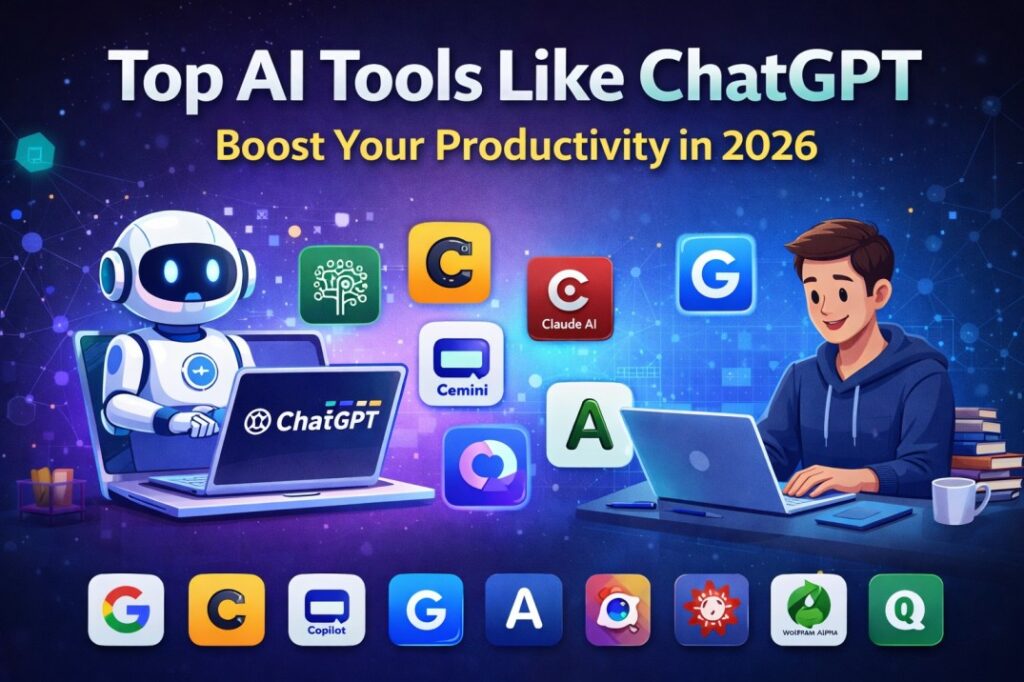
Here are some of the best alternatives to ChatGPT that you can use in 2026:
Google Gemini
Google Gemini is a powerful AI tool designed for research and productivity. It is integrated with Google services, making it very useful for students and professionals.
Key Features:
- Real-time information from the web
- Integration with Google Docs and Gmail
- Smart writing and summarization
- Research assistance
Best For: Research and daily productivity
Microsoft Copilot
Microsoft Copilot is an AI assistant built into Microsoft Office tools like Word, Excel, and PowerPoint.
Key Features:
- Helps create documents and presentations
- Automates Excel tasks
- Integrated with Windows and Office
- AI-powered suggestions
Best For: Office work and productivity
Perplexity AI
Perplexity AI is an AI-powered search engine that provides accurate answers with sources.
Key Features:
- Provides citations and references
- Fast and reliable research
- Easy-to-use interface
- Deep topic exploration
Best For: Research and fact-checking
Jasper AI
Jasper AI is a famous tool for content creation and marketing.
Key Features:
- Blog and article writing
- Content templates
- SEO optimization
- Creative writing support
Best For: Content creators and bloggers
Claude AI
Claude AI is known for its natural and human-like responses.
Key Features:
- Handles long documents
- Detailed explanations
- Safe and ethical AI
- High-quality writing
Best For: Deep analysis and writing
Notion AI
Notion AI is a productivity tool that helps in organizing tasks and notes.
Key Features:
- Note-taking and task management
- Content generation
- Study planning
- Workflow management
Best For: Students and productivity
Wolfram Alpha
Wolfram Alpha is a computational AI tool for solving technical problems.
Key Features:
- Step-by-step solutions
- Math and science support
- Data analysis
- Accurate calculations
Best For: Students in science and engineering
Synthesia
Synthesia is an AI tool for creating videos.
Key Features:
- AI avatars and voiceovers
- No camera required
- Professional video creation
- Easy to use
Best For: Presentations and video content
QuillBot
QuillBot is a writing assistant focused on paraphrasing.
Key Features:
- Paraphrasing tool
- Grammar checker
- Summarizer
- Multiple writing modes
Best For: Writing improvement
GrammarlyGO
GrammarlyGO enhances writing accuracy using AI.
Key Features:
- Grammar correction
- Tone improvement
- Content suggestions
- Real-time feedback
Best For: Academic and professional writing
Top AI Tools Like ChatGPT (2026)
| Tool | Best For | Standout “Killer” Feature | Best Use Case |
|---|---|---|---|
| Claude (Anthropic) | Writing & Reasoning | Artifacts: A side-by-side window to edit code, docs, and websites in real-time. | Analyzing long legal docs or writing highly “human” essays. |
| Google Gemini | Google Ecosystem | 2M Token Context: Can remember thousands of pages or hours of video at once. | Summarizing massive folders in Google Drive or long YouTube lectures. |
| Perplexity AI | Fact-Checked Research | Pro Check: Searches the live web and provides clickable citations for every claim. | Replacing traditional search engines for academic or market research. |
| Microsoft Copilot | Office Productivity | 365 Integration: Directly generates Excel formulas, PPT slides, and Word drafts. | Business professionals automating emails and data analysis in Outlook/Excel. |
| DeepSeek | Coding & Logic | Reasoning Mode: High-speed, low-cost “Chain-of-Thought” logic for complex math. | Developers looking for a powerful alternative for heavy debugging. |
| Grok (xAI) | Real-Time Trends | X Integration: Accesses live data from X to analyze breaking news. | Tracking social media sentiment or viral news as it happens. |
| NotebookLM | Personal Study | Audio Overview: Converts your uploaded notes into a deep-dive AI “podcast.” | Students turning a semester’s worth of PDFs into an interactive study guide. |
How to Choose the Right AI Tool
Choosing the right AI tool depends on your needs. Here are some tips:
- For writing → Use Jasper AI, Grammarly, or ChatGPT
- For research → Use Perplexity AI or Google Gemini
- For productivity → Use Notion AI or Microsoft Copilot
- For study help → Use Wolfram Alpha or ChatGPT
- For creative work → Use Synthesia or design tools
Always choose tools based on your goal and workflow.
Benefits of Using AI Tools
AI tools provides many advantages:
- Improve efficiency and speed
- Enhance learning and understanding
- Reduce manual work
- Help in better decision-making
- Increase creativity and innovation
They are especially useful for students who want to study smarter, not harder
Limitations of AI Tools
While AI tools are powerful, they also have some limitations:
- May provide incorrect information sometimes
- Over-dependence can reduce learning ability
- Not always 100% accurate
- Requires human review
That’s why it’s important to use AI as a support tool, not a replacement.
Future of AI Tools
The future of AI tools is very exciting. In the coming years, we can expect:
- More personalized learning experiences
- Better accuracy and intelligence
- Integration with everyday apps
- Advanced automation
- Smarter assistants
AI will continue to play a key role in education, business, and daily life
Conclusion
AI tools like ChatGPT are transforming the way we work, learn, and create. From writing and research to productivity and problem-solving, these tools offer powerful solutions for challenges. While ChatGPT is one of the best tools available, there are many alternatives like Google Gemini, Perplexity AI, and Notion AI that provide unique features.
The key is to choose the right tool based on your needs and use it wisely. When used properly, AI tools can help you save time, improve skills, and achieve better results in your academic and professional journey.
Ans: Some tools provide free versions, but advanced features may require a subscription
Ans: ChatGPT, Notion AI, and Perplexity AI are excellent for students.
Ans: No, AI supports humans but cannot fully replace creativity and critical thinking.
Ans: Yes, but always verify important information.
Ans: Yes, AI tools can help in almost all subjects like math, science, coding, and writing. However, some tools are better suited for specific subjects, so choosing the right one is important.