Coding has become faster, easier, and more efficient with the help of artificial intelligence. Whether you’re a beginner learning your first programming language or an experienced software developer building complex applications, AI tools for coding can save time, reduce errors and improve productivity. Instead of spending hours writing repetitive code or searching online for solutions, developers can now rely on AI-powered assistants to generate code, explain concepts, detect bugs and optimise projects.
From web development and mobile app creation to software engineering and data science, AI is transforming how developers work. These intelligent tools act such as virtual programming partners, helping you write cleaner code, solve problems faster and learn new technologies with confidence.
In this guide, you’ll discover the best AI coding tools, their benefits, key features, use cases & tips for choosing the right solution for your programming needs.
What Are AI Tools for Coding?
AI tools for coding are software applications powered by artificial intelligence and machine learning that assist developers throughout the software development process. They understand programming languages, analyse your code and provide intelligent suggestions to make coding faster and more accurate.
An AI coding assistant can generate code from simple text prompts, complete unfinished lines, detect bugs, explain complex functions, review projects, and even create documentation.
Most AI programming assistants support multiple programming languages, including:
- Python
- JavaScript
- Java
- C++
- C#
- PHP
- TypeScript
- Go
- Rust
- SQL
- HTML & CSS
They integrate seamlessly with popular code editors such as Visual Studio Code, JetBrains IDEs and cloud-based development environments.
How AI Coding Tools Work
Most AI code generators use advanced Large Language Models (LLMs) trained on billions of lines of code, technical documentation and programming examples. These models understand both natural language and programming syntax.
When you type code or describe a task, the AI analyses:
- Your project structure
- Existing code
- Variable names
- Functions
- Comments
- Programming language
Based on this information, it predicts the most relevant code and offers intelligent suggestions in real time.
The more context you provide, the more accurate the AI-generated code becomes.
Benefits of AI Tools for Coding
AI has become an essential part of modern software development because it helps developers work more efficiently.
Faster Development
AI generates repetitive code instantly, allowing developers to focus on solving real-world problems instead of writing boilerplate code.
Better Code Quality
Most AI code review tools recommend cleaner coding practices, optimised logic and better formatting.
Reduced Debugging Time
Instead of manually searching for bugs, AI debugging tools quickly identify errors & suggest possible fixes.
Improved Productivity
Developers complete projects faster by automating repetitive tasks like documentation, testing, and code generation.
Easier Learning
Beginners can ask AI to explain concepts, algorithms, and programming languages in simple, easy-to-understand words.
Best AI Tools for Coding
Here are some of the most popular AI tools for developers available today.
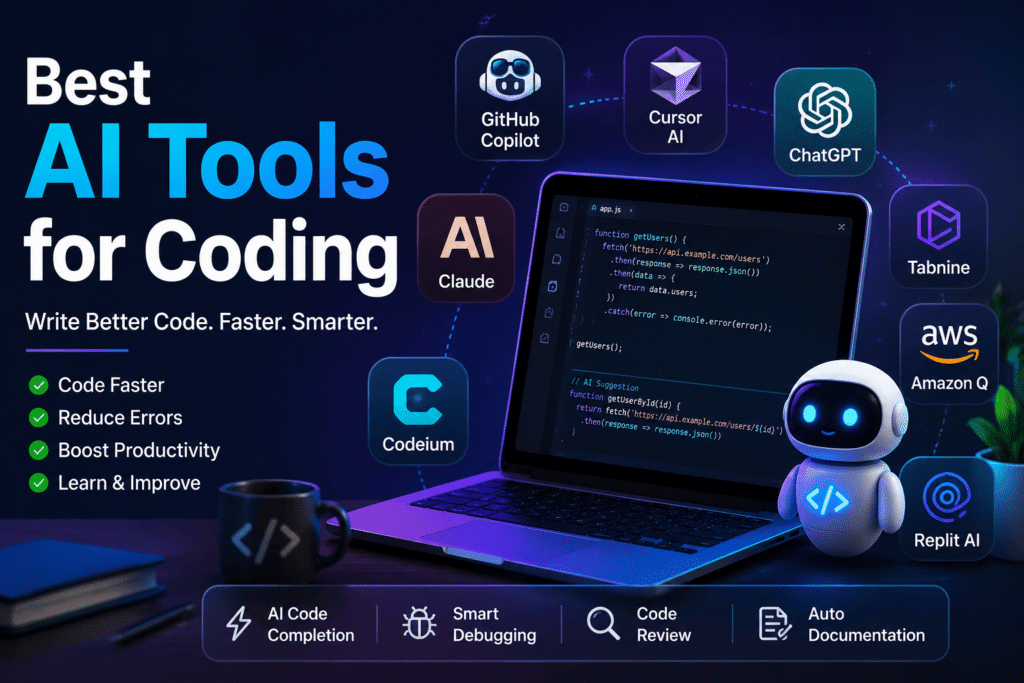
| Tool | Best For | Key Features |
|---|---|---|
| GitHub Copilot | Professional developers | Code completion, function generation, documentation |
| Cursor AI | Full-stack development | AI chat, code editing, project understanding |
| ChatGPT | Learning & debugging | Code generation, explanations, debugging |
| Claude | Large codebases | Code review, documentation, architecture planning |
| Tabnine | Privacy-focused teams | AI autocomplete, secure deployment |
| Amazon Q Developer | AWS developers | Cloud development, security suggestions |
| Codeium | Free AI coding | Unlimited autocomplete, multiple language support |
| Replit AI | Online coding | Instant coding assistance in the browser |
Top AI Coding Tools Explained
1. GitHub Copilot
GitHub Copilot is one of the most popular AI coding assistants for professional developers. It provides real-time code suggestions, completes functions, generates repetitive code and supports dozens of programming languages.
Best for: Software engineers and experienced developers.
2. Cursor AI
Cursor AI is an AI-powered code editor designed specifically for modern developers. It can edit entire files, explain complex code and answer programming questions without leaving the editor.
Best for: Full-stack and web developers.
3. ChatGPT
ChatGPT helps developers generate code, debug errors, optimize algorithms, create APIs and understand programming concepts. It’s one of the most versatile AI tools for programmers.
Best for: Students, beginners, freelancers, and professionals.
4. Claude
Claude is excellent for analysing large codebases, reviewing projects, writing documentation and explaining complicated programming logic.
Best for: Large software projects and enterprise teams.
5. Codeium
Codeium is a popular free alternative that offers intelligent code completion, AI chat and support for many programming languages.
Best for: Developers looking for free AI coding tools.
6. Tabnine
Tabnine focuses on privacy & secure AI-powered code completion. Many businesses prefer it because it supports private deployments.
Best for: Enterprise development teams.
7. Amazon Q Developer
Amazon Q is designed for developers building cloud applications on AWS. It helps generate code, optimise cloud infrastructure, and improve security.
Best for: Cloud developers.
8. Replit AI
Replit AI allows users to code directly from their browser while receiving AI-powered suggestions and explanations.
Best for: Students and beginners.
Free vs Paid AI Coding Tools
Free AI coding tools are ideal for beginners, students, and hobby projects. They provide code completion, debugging assistance and basic AI features without any cost.
Paid AI coding software usually offers advanced capabilities such as project-wide understanding, better accuracy, team collaboration, security features and faster performance. Professional developers and businesses often choose paid tools because they improve productivity on larger projects.
How to Choose the Right AI Coding Tool
Choosing the best AI coding software depends on your programming goals.
Consider these factors before selecting a tool:
- Programming language support
- IDE compatibility
- Code quality
- AI accuracy
- Debugging capabilities
- Security and privacy
- Documentation support
- Pricing
- Team collaboration
- Ease of use
If you’re a beginner, choose a tool that explains code instead of simply generating it. Professional developers should prioritise accuracy, speed and integration with their development environment.
Common Use Cases of AI Coding Tools
AI is useful throughout the software development lifecycle.
Developers use AI for:
- Writing boilerplate code
- Creating APIs
- Generating SQL queries
- Building websites
- Mobile app development
- Debugging applications
- Code optimization
- Writing documentation
- Creating unit tests
- Learning new programming languages
- Refactoring existing projects
- Explaining unfamiliar code
These capabilities make AI for software development valuable for individuals and development teams alike.
Advantages and Limitations
Advantages
- Saves development time
- Reduces repetitive coding
- Improves code quality
- Detects bugs faster
- Enhances productivity
- Helps beginners learn programming
- Supports multiple programming languages
Limitations
- May generate incorrect code
- Requires human review
- Cannot fully understand business requirements
- May create security vulnerabilities if used without verification
- Depends on clear prompts for accurate results
Developers should always review AI-generated code before deploying it in production.
Can AI Replace Programmers?
No. AI is designed to assist programmers, not replace them.
While AI can generate code, suggest improvements, and automate repetitive tasks, it cannot understand business goals, communicate with clients, design complex software architecture, or make strategic decisions like experienced developers.
The future belongs to developers who know how to work with AI rather than compete against it. Learning coding with AI will become an essential skill for modern programmers.
Conclusion
AI tools for coding are transforming software development by making programming faster, smarter, and more accessible. Whether you need an AI code generator, a debugging assistant, or an intelligent programming partner, these tools can significantly improve your workflow. From GitHub Copilot and Cursor AI to ChatGPT and Codeium, there are solutions for beginners, freelancers, and enterprise developers alike.
However, AI should be viewed as a productivity tool rather than a replacement for human expertise. By combining your programming knowledge with the power of AI, you can write better code, solve problems more efficiently, and stay competitive in the rapidly evolving tech industry.
Frequently Asked Questions
AI tools for coding are software applications that help developers write, debug, review, and optimize code using artificial intelligence.
GitHub Copilot, Cursor AI, ChatGPT, Claude, and Codeium are among the best AI coding tools for different programming needs.
Yes. Codeium, Replit AI, and free versions of ChatGPT offer useful AI coding features without requiring a paid subscription.
Yes. AI coding avssistants help beginners understand programming concepts, fix errors, and learn coding more effectively.
AI can generate complete code for many tasks, but developers should always review and test the output before using it in production.
Yes. Most tools support popular languages such as Python, JavaScript, Java, C++, PHP, SQL, TypeScript, and many others.
AI-generated code can be useful, but it should always be reviewed for bugs, security issues, and performance before deployment.
No. AI assists developers by automating repetitive tasks, but human creativity, problem-solving, and decision-making remain essential for software development.